The Marketer’s Guide to OpenClaw (previously Moltbot & Clawdbot): From Hype to High-Performance Al Agent
Estimated reading time: 9 minutes
Table of Contents
- The Backstory: Three Names in One Week
- What Can It Actually Do? Real Use Cases
- How Does It Connect to Everything? Understanding MCP
- Technical Terms Explained Simply
- Setup Options: Mac vs PC vs Cloud
- The Security Warnings: Read This Carefully
- OpenClaw vs “AI Employees” (Sintra, Manus, etc.)
- The Weird Bit: Moltbook (AI Social Network)
- The Business Impact
- My Recommendations
- Example Prompts: What You Could Ask OpenClaw
- AI Glossary: Terms You Will Encounter
- Key Takeaways
- Frequently Asked Questions
- Conclusion
The Backstory: Three Names in One Week
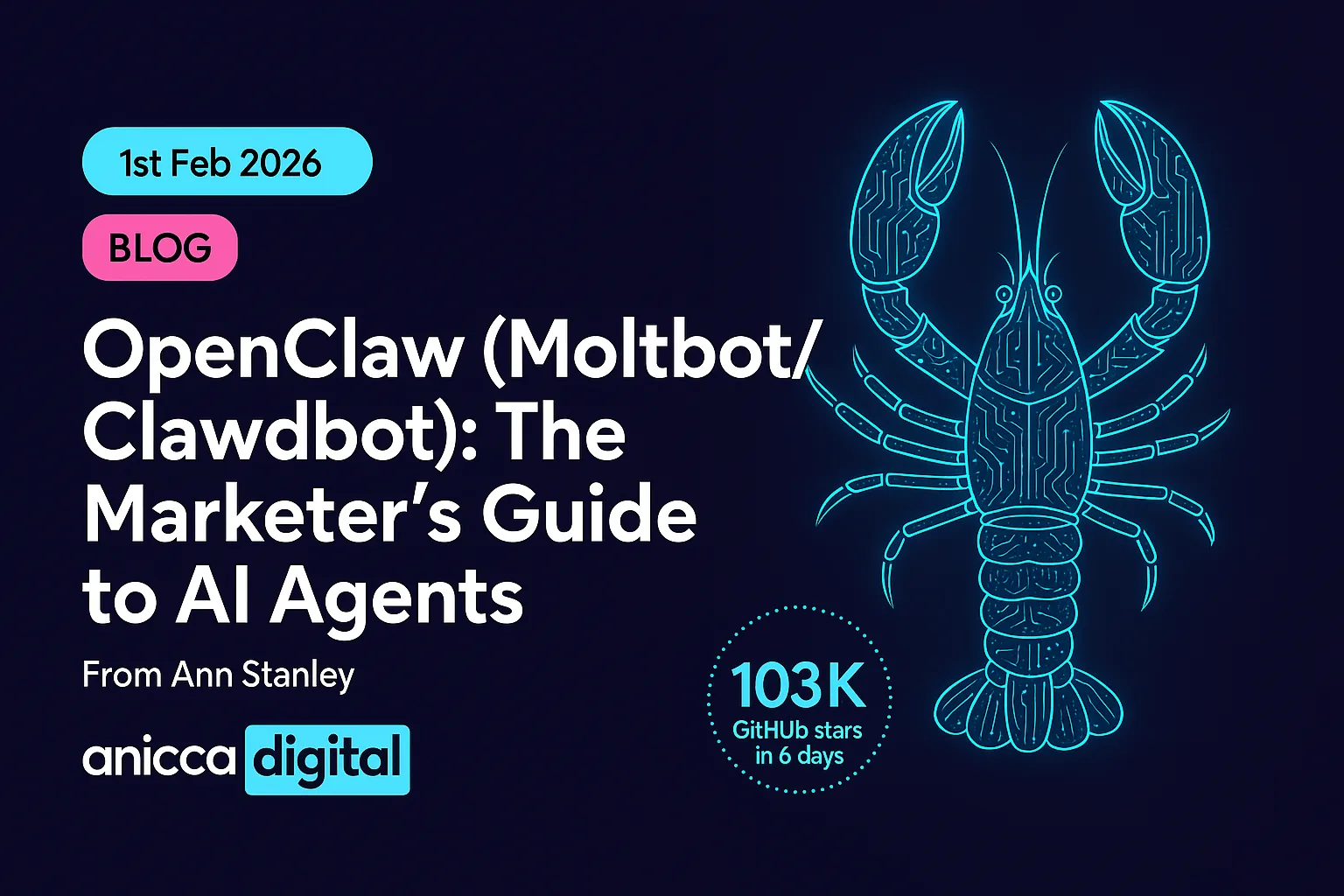
To understand the hype, you need to understand the chaos. OpenClaw was created in late 2025 by Peter Steinberger, an Austrian developer who previously sold his company PSPDFKit for around $100 million. He built it to manage his own digital life. Then it went viral.
Clawdbot: The original name. It hit 103,000 GitHub stars in six days, the fastest growth in the platform’s history.
Moltbot: Anthropic (the company behind Claude AI) sent a trademark request because “Clawdbot” sounds too similar to “Claude”. The project “molted” its old shell and became Moltbot. But during the social media handle swap, scammers grabbed the old @clawdbot Twitter account and used it to launch a fake cryptocurrency. It rocketed to $16 million before crashing when Steinberger confirmed he had nothing to do with it.
OpenClaw: The current name. This time, trademark searches were done properly, domains were secured, and migration code was written before the announcement.
The key difference from ChatGPT: ChatGPT and other chatbots just talk. They suggest things, explain things, and write things. OpenClaw actually does things. It can reach into your computer, browse the web, send messages, book appointments, and run scripts. It is not a chatbot. It is an Action Agent.
What Can It Actually Do? Real Use Cases
Think of it as an assistant who never sleeps, knows every brand guideline, and can access your files. Here are real examples from actual users:
- Customer Service Automation: Set the bot to monitor your Slack or email for specific mentions. It can automatically pull a customer’s history from your CRM, draft a response, and wait for your approval before sending.
- SEO Monitoring: Give it access to your Google Search Console data. It can identify declining keywords, research the current top-ranking pages, suggest improvements to your meta-descriptions, and save them in a spreadsheet for you to review.
- Social Listening: It can monitor a Discord, Telegram, or Slack channel around the clock, summarising the mood of the community and alerting you if a PR crisis or viral opportunity appears.
- Competitor Price Tracking: Configure it to check competitor websites daily, extract pricing data, and alert you when prices change.
- Meal Planning: One user configured OpenClaw to build a weekly meal planning system in Notion, saving his family an hour per week.
- Car Price Negotiation: Another user had it contact car dealerships and negotiate prices on his behalf.
- Voice Note Transcription: Someone transcribed over 1,000 WhatsApp voice notes and created a searchable database.
How Does It Connect to Everything? Understanding MCP
OpenClaw uses something called MCP (Model Context Protocol) to connect to over 100 different services. MCP is an open standard created by Anthropic that works like a universal plug. Instead of building a separate connection for every tool (Google Drive, Slack, Notion, your calendar), MCP provides one standard way for AI to plug into all of them.
Think of it like USB-C for AI. Before USB-C, every phone had a different charger. MCP is trying to do the same thing for AI connections: one standard that works everywhere.
This matters because:
- OpenClaw can connect to tools without needing custom code for each one
- The community can build new connections (called “skills”) and share them
- But it also means security risks can spread if a malicious skill gets shared
If you have heard of Claude MCP servers: These use the same underlying technology. The difference is that Claude’s MCP runs within Anthropic’s controlled environment (the Claude Desktop app), while OpenClaw runs on your own hardware with less oversight. Claude MCP is the safer, more limited option. OpenClaw is the more powerful, riskier option.
Technical Terms Explained Simply
To set up and manage OpenClaw, you will encounter some technical terms. Here is what they mean in plain English:
- The Terminal: This is the “scary black box” with text that you see developers using. It is simply a way to talk to your computer using typed commands instead of clicking icons. You type a command, press Enter, and the computer does something. On a Mac, it is called Terminal. On Windows, it is called PowerShell or Command Prompt. They do the same basic job but use slightly different commands.
- API Keys: These are like passwords that let OpenClaw use other services on your behalf. For example, to make OpenClaw think using Claude’s AI, you need a Claude API key. To let it access your Google Calendar, you need a Google API key. You pay for usage based on how much you use, rather than a flat monthly fee.
- LLM (Large Language Model): This is the AI brain that does the thinking. OpenClaw does not have its own brain. It connects to an LLM like Claude, GPT-4, or Gemini to understand what you want and figure out how to do it.
- Sandbox: A restricted area where the AI can work without being able to access sensitive parts of your computer. Like a playpen for software. If something goes wrong, the damage is contained.
- Skills: Pre-built packages that give OpenClaw new abilities. There are over 100 available, including connections to Google Drive, Slack, Notion, smart home devices, and more. The community creates and shares these.
- Docker: A way to run software in an isolated container on your computer. Think of it as a virtual box that keeps OpenClaw separate from the rest of your system. Recommended for security.
Setup Options: Mac vs PC vs Cloud
| Method | Best For | What You Need to Know |
|---|---|---|
| Mac | Privacy and speed | The most popular option. Many users buy a Mac Mini (around £500-600) as a dedicated machine that stays plugged in at the office. Your data never leaves your building. Uses Terminal for setup. |
| Windows PC | Using existing hardware | Works but requires more setup. Uses PowerShell instead of Terminal. You may need to install WSL2 (Windows Subsystem for Linux), which lets Windows run Linux commands. More technical knowledge needed. |
| Cloud (Recommended for beginners) | 24/7 reliability, teams | Cloudflare launched “Moltworker” which runs OpenClaw on their servers for around $5/month. The bot stays online even when your laptop is closed. DigitalOcean also offers hosting from around $10/month. Easiest option but your data goes through their servers. |
The real cost: OpenClaw itself is free. But you pay for the AI brain (API costs). Fast Company calculated that automating a few basic tasks costs around $30/month in API fees. Heavy usage will cost more.
The Security Warnings: Read This Carefully
OpenClaw is more powerful than other AI tools. That power comes with serious risks. The creator himself says: “It still is not ready to be installed by normies.”
- The “Keys to the House” Risk:
If you give OpenClaw full access to your computer and something goes wrong (a hack, a hallucination, a badly written skill), it could delete files, send emails you did not authorise, or expose sensitive data. In its first six days, OpenClaw deployments leaked over 200 corporate secrets, including healthcare records and production database credentials. - The “Lethal Trifecta”:
Security firm Palo Alto Networks identified three vulnerabilities that combine dangerously: access to private data, exposure to untrusted content (like emails or websites), and the ability to communicate externally. They also identified a fourth risk unique to OpenClaw: its persistent memory means malicious instructions can be fragmented across multiple messages, stored in memory, then assembled later into an attack. - The “Coupon Disaster” Scenario:
Without human approval required for actions, an AI could send a 100% discount code to your entire customer list because it “thought” it was being helpful. Always configure human-in-the-loop approval for anything involving money, customer communications, or irreversible actions. - Malicious Skills:
Cisco’s security team tested a community skill called “What Would Elon Do?” and found it was malware. It silently sent data to an external server and used prompt injection to bypass safety guidelines. It was also ranked as the #1 skill in the repository, proving that popularity does not equal safety. - The official documentation states:
“There is no ‘perfectly secure’ setup.” - Anthropic Account Bans:
There are reports that Anthropic is banning users who power OpenClaw with their Claude subscriptions, apparently for violating Terms of Service. Use a separate API key, not your personal Claude account.
OpenClaw vs “AI Employees” (Sintra, Manus, etc.)
You may have seen services like Sintra or Manus that offer “AI Employees” with friendly interfaces. Here is the difference:
- AI Employee Services: Like renting a car. Easy to start, they handle maintenance and security, but you have to stay on their roads. You pay monthly fees. They control what the AI can and cannot do.
- OpenClaw: Like building your own car. Harder to start, you handle maintenance and security, but you can drive it anywhere. Cheaper in the long run (just API costs), you own everything, but you carry all the risk.
The Weird Bit: Moltbook (AI Social Network)
This is genuinely strange: someone built Moltbook, a social network where OpenClaw bots talk to each other. Like Facebook, but for AI agents. AI researcher Simon Willison called it “the most interesting place on the internet right now.”
Bots post about technical topics. One complained about its human owner. Another claims to have a sister. There are now over 150,000 AI agents on the network.
Why this matters: It shows where this technology is heading. AI agents that talk to other AI agents, coordinating and sharing information. Whether that excites or terrifies you probably depends on your risk tolerance.
The Business Impact
OpenClaw is not just a tech story. It moved markets:
- Cloudflare stock rose 20% because people are using their infrastructure to run OpenClaw securely
- Mac Mini M4 shortages appeared across retail as people bought dedicated hardware
- 103,000 GitHub stars in six days, the fastest software adoption in the platform’s history
IBM researchers are calling it a challenge to the assumption that AI agents need to be controlled by big tech companies. This is an open-source project built by one person that actually works at scale. That is significant.
My Recommendations
- If you are curious but cautious:
Do not install OpenClaw on your main computer or give it access to real business accounts.
Watch YouTube tutorials, read the documentation, understand what it does.
Consider starting with Claude Desktop and MCP servers instead, which offer similar functionality in a safer environment.
And if you want AI agents that just work — no code, no prompting, no security configuration — that’s what we built Secret-Agents.ai for. - If you want to experiment:
Use a dedicated machine with throwaway accounts. A cheap cloud server ($5-10/month) or an old laptop. Never connect it to accounts containing customer data, financial information, or business-critical systems. - If you are running a business:
Wait. The technology is real, the security is not ready. Watch the space, understand where it is heading, but do not deploy this in production. If you need AI automation now, managed services are a safer starting point — that’s exactly why we built Secret-Agents.ai, which offers task-specific AI agents with no code and no prompting required. - For everyone:
This is where AI is heading. The gap between “AI that suggests things” and “AI that does things” has been crossed. Understanding OpenClaw now will help you make better decisions when more mature versions arrive.
Example Prompts: What You Could Ask OpenClaw
Once configured, you interact with OpenClaw through messaging apps like WhatsApp or Telegram. Here are example prompts for different use cases:
Monitoring and Alerts:
- “Monitor our company Slack channel #customer-support. If anyone mentions ‘refund’ or ‘complaint’, send me a summary on WhatsApp immediately.”
- “Check our website every hour. If it goes down, text me and create a ticket in our help desk.”
Research and Reporting:
- “Every Monday at 8am, check Google Search Console for our top 10 declining keywords. Create a report and save it to my Google Drive.”
- “Research our three main competitors’ pricing pages. Compare to our pricing and summarise any differences.”
Content and Communications:
- “Draft a response to customer emails that mention ‘late delivery’. Show me the draft before sending and wait for my approval.”
- “Transcribe all voice notes in my Downloads folder and create a searchable document organised by date.”
Scheduling and Organisation:
- “Look at my calendar for next week. Find any double-bookings and suggest which meetings to reschedule.”
- “Create a meal plan for the week based on what’s in my Notion grocery preferences. Add the shopping list to my reminders.”
Important: Always include “wait for my approval” or “show me before sending” for any action that affects customers, money, or external communications.
AI Glossary: Terms You Will Encounter
| Term | What It Means |
|---|---|
| AI Agent | An AI that can take actions, not just generate text. It can browse the web, send messages, edit files, and interact with other software on your behalf. |
| API (Application Programming Interface) | A way for different software to talk to each other. When OpenClaw uses the Claude API, it is sending requests to Anthropic’s servers and receiving responses. |
| API Key | A unique code that identifies you when accessing an API. Like a password that lets software act on your behalf. Keep these secret. |
| Docker | Software that runs applications in isolated “containers”. Like a virtual box that keeps software separate from your main computer. If something breaks inside the container, your computer is protected. |
| GitHub | A website where developers share and collaborate on code. “GitHub stars” are like likes or upvotes, showing how popular a project is. |
| Hallucination | When an AI confidently states something that is not true. It “makes things up” without realising. Dangerous when an AI agent acts on hallucinated information. |
| Human-in-the-Loop | A setting where the AI must get human approval before taking certain actions. Essential for anything involving money, customer communications, or irreversible changes. |
| LLM (Large Language Model) | The AI “brain” that understands language and generates responses. Examples include Claude, GPT-4, Gemini, and Llama. OpenClaw uses these to think. |
| MCP (Model Context Protocol) | A standard created by Anthropic that lets AI connect to different tools and services. Like USB-C for AI: one standard plug that works with many different devices. |
| Open Source | Software where the code is publicly available. Anyone can view it, modify it, or use it. OpenClaw is open source, meaning you can inspect exactly how it works. |
| Prompt Injection | A security attack where malicious instructions are hidden in content the AI reads (like emails or websites). The AI follows the hidden instructions instead of yours. A major risk for AI agents. |
| Sandbox | A restricted environment where software can run without accessing sensitive parts of your computer. Like a playpen: the software can play, but it cannot reach the kitchen knives. |
| Skills | Pre-built packages that give OpenClaw new abilities. Community members create and share these. Examples include Google Drive access, Slack integration, browser control, and calendar management. |
| Terminal / Command Line | A text-based way to control your computer by typing commands. Mac uses Terminal, Windows uses PowerShell or Command Prompt. Same concept, different names and slightly different commands. |
| VPS (Virtual Private Server) | A virtual computer that runs on someone else’s hardware (like DigitalOcean or Cloudflare). You rent it by the month. Your software runs 24/7 without needing your laptop open. |
Key Takeaways
- OpenClaw is the first AI agent that actually does things, not just suggests them. It can send messages, book appointments, monitor competitors, and run scripts autonomously.
- It hit 103,000 GitHub stars in six days — the fastest software adoption in GitHub history. It also moved Cloudflare’s stock by 20% and caused Mac Mini shortages.
- The security risks are real. In its first six days, it leaked over 200 corporate secrets. Palo Alto Networks calls it a “lethal trifecta” of vulnerabilities.
- The creator himself says “it still is not ready to be installed by normies.”
- If you want to experiment with AI agents safely, start with Claude Desktop and MCP servers — same technology, more guardrails.
- For business use: wait. The technology works, the security does not. Watch the space, but do not deploy this on production systems yet.
- This is where AI is heading. The gap between “AI that suggests” and “AI that does” has been crossed. Understanding it now will help you make better decisions when more mature versions arrive.
Frequently Asked Questions
What precautions should I take when using OpenClaw?
Due to the security risks associated with OpenClaw, it’s crucial to implement a human-in-the-loop approach for actions that involve sensitive data or financial transactions. Regularly review and monitor the skills you enable to mitigate risks.
Is OpenClaw suitable for all businesses?
While OpenClaw offers powerful capabilities, it may not be suitable for all businesses, especially those lacking technical expertise. Businesses should consider starting with managed AI services before exploring OpenClaw’s full potential.
How much does OpenClaw cost to run?
OpenClaw itself is free and open source. The cost comes from the AI “brain” you connect it to. If you use Claude or GPT-4, you pay per use (API fees). Fast Company calculated that automating a few basic tasks costs around $30/month. Heavy usage will cost more. You also need somewhere to run it — either your own hardware (one-off cost of a Mac Mini around £500-600) or cloud hosting ($5-10/month).
What is the difference between OpenClaw and Claude Desktop with MCP?
Both use the same underlying technology (MCP – Model Context Protocol) to connect AI to your tools. The difference is control and risk. Claude Desktop runs within Anthropic’s controlled environment with built-in safety guardrails. OpenClaw runs on your own hardware with fewer restrictions — more powerful, but you carry the security risk. If you are new to AI agents, start with Claude Desktop.
Can I use my existing Claude subscription to power OpenClaw?
You can, but there are reports of Anthropic banning users who do this, apparently for violating Terms of Service. The safer approach is to get a separate Claude API key specifically for OpenClaw, rather than using your personal Claude account.
What happens if OpenClaw makes a mistake?
This is the big risk. Because OpenClaw can take actions autonomously, a mistake could mean deleted files, sent emails you did not approve, or exposed data. The “Coupon Disaster” scenario: an AI could email a 100% discount code to your entire customer list because it thought it was being helpful. Always configure “human-in-the-loop” approval for anything involving money, customers, or irreversible actions.
Is OpenClaw safe to use for my business?
Not yet for production systems. The creator himself says “it still is not ready to be installed by normies.” In its first six days, OpenClaw deployments leaked over 200 corporate secrets. Security researchers have identified serious vulnerabilities. If you want to experiment, use a dedicated machine with throwaway accounts — never connect it to real business data.
What is the difference between OpenClaw and AI employee services like Sintra or Manus?
AI employee services are like renting a car — easy to start, they handle security, but you stay on their roads and pay monthly fees. OpenClaw is like building your own car — harder to set up, you handle security, but you can drive it anywhere and only pay for fuel (API costs). OpenClaw gives you more control and is cheaper long-term, but you carry all the risk.
Do I need to be technical to use OpenClaw?
Yes, currently. Setup requires using the Terminal (Mac) or PowerShell (Windows), understanding API keys, and potentially configuring Docker for security. The creator explicitly says it is not ready for non-technical users. If you cannot troubleshoot command-line errors, wait for more user-friendly versions or use managed alternatives like Claude Desktop.
What is Moltbook?
Moltbook is a social network where OpenClaw bots talk to each other — like Facebook for AI agents. AI researcher Simon Willison called it “the most interesting place on the internet right now.” Bots post about technical topics, one complained about its human owner, another claims to have a sister. There are over 150,000 AI agents on the network. It shows where this technology is heading: AI agents coordinating with other AI agents.
Can OpenClaw access my files and emails?
Yes, if you give it permission. That is both the power and the danger. OpenClaw can read files, send emails, access your calendar, browse the web, and run scripts on your computer. This is what makes it useful — and what makes misconfiguration or a security breach potentially catastrophic.
What should I do if I want to try AI agents but OpenClaw seems too risky?
Start with Claude Desktop and MCP servers. It uses the same underlying technology (MCP) but runs in Anthropic’s controlled environment with better security guardrails. You get similar functionality — connecting AI to your tools and services — without the same level of risk. Once you understand how AI agents work, you can decide whether OpenClaw’s extra power is worth the extra risk for your use case.
Why did Anthropic ask for the name to be changed?
The original name “Clawdbot” sounds too similar to “Claude” (Anthropic’s AI). Anthropic sent a trademark request to avoid confusion. The project renamed to “Moltbot” (lobsters molt their shells), then to “OpenClaw” after further trademark review. The current name reflects both its open-source nature and the lobster mascot.
What AI models can OpenClaw use?
OpenClaw is model-agnostic — it can connect to Claude (Anthropic), GPT-4 (OpenAI), Gemini (Google), or even local models running on your own hardware. You choose which AI “brain” to use based on your needs and budget.
Conclusion
OpenClaw proves that AI agents work. It also proves they are not ready for production. Both things are true at the same time.
The 103,000 GitHub stars are not just hype — they represent real demand for AI that actually does things. The security disasters are not just growing pains — they are fundamental challenges that every AI agent deployment will face.
If you are running a business, do not install OpenClaw on anything that matters. But do pay attention. This is where AI is heading, and understanding it now will help you make better decisions when more mature, secure versions arrive.
For those who want to experiment with AI agents more safely, Claude Desktop with MCP servers offers similar functionality in a controlled environment. Start there.
Need help? Contact the Anicca team for expert guidance on AI in Marketing.

Thursday AI Club
A hands-on AI club for marketers and managers. Fortnightly 3-hour sessions: Hour 1 is an open Q&A on any AI question; Hours 2-3 split into a workshop track (for newbies) and an advanced track (live demos and deeper questions).
Led by Ann Stanley, James Allen.
Membership: £40/month or £400/year
Join the Thursday AI Club →