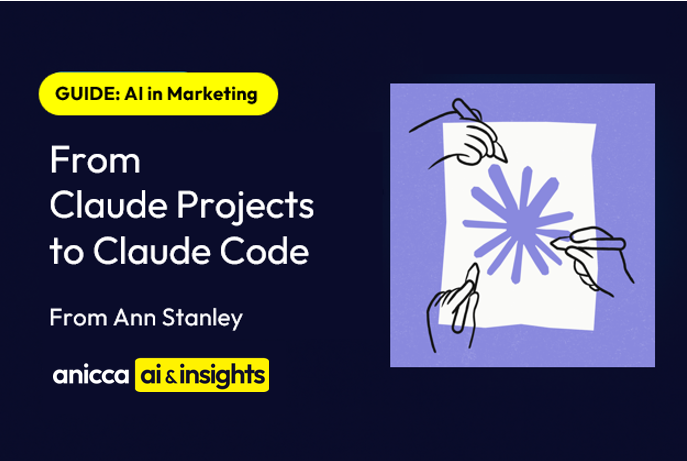
From Claude Projects to Claude Code: A Beginner’s Guide
Contents
- Introduction
- Part 1: Why Claude?
- Part 2: Making Claude Projects Work
- Part 3: Claude Code
- Part 4: Getting Started
- Quick Reference: Projects vs Claude Code
- Glossary
Introduction
If you’ve heard of ChatGPT, you’ve probably also heard of Claude — Anthropic’s AI assistant. But Claude does things differently, and those differences matter if you’re serious about using AI in your business.
This guide walks you through the journey from using Claude Projects on the web to working with Claude Code on your desktop. You don’t need to be a programmer. I’m a marketer, and I use Claude Code every day for content creation, carousel design, ebook production, and more.
Who is this guide for? Anyone who wants to understand why Claude is different from ChatGPT, how to get the most from Claude Projects, and when it makes sense to move to Claude Code.
Part 1: Why Claude?
If you’re currently using ChatGPT, you might be wondering what Claude offers that’s different. The answer comes down to how each platform handles your ongoing work.
GPTs — Powerful but Limited
OpenAI’s GPTs let you create a detailed prompt with uploaded files. They’re shareable — there’s a whole directory of them — and they can be genuinely useful for specific tasks.
But GPTs have no memory between conversations. Every time you start a new chat, it starts from zero. You build something useful, and then it forgets who you are and what you discussed. No memory means no continuity — and no way to build on previous work.
ChatGPT Projects — Just Folders
ChatGPT now has “Projects” too, but they’re essentially just folder organisation. You can group conversations together, but there’s no custom instructions per project, no knowledge files that persist, and no real integration between conversations.
It’s tidier, but it doesn’t change how the AI works with you.
Claude Projects — The Full Package
This is where Claude pulls ahead. Claude Projects combine custom instructions, knowledge files, and persistent memory within each project. Every conversation in a project builds on the last.
Claude knows your brand, your preferences, and your history — without you repeating yourself every time. And if you need to carry context into a new project, you can create a summary at the end of one project and feed it into the next.
This is the difference between a chatbot and a working system.
Where to find projects in Claude

Layout of a project and where to add files & instructions

Part 2: Making Claude Projects Work
Once you’ve created a Claude Project, here’s how to make it genuinely productive.
Knowledge Files — Persistent Context
Upload brand guidelines, research documents, templates, competitor analysis — anything Claude should reference. These files stay available across every conversation in the project. Up to 200,000 characters of project knowledge.
No more re-uploading the same PDF every time. Claude has your reference materials on hand, permanently. It’s the difference between a temp and a team member.

Custom Instructions — Your Briefing Document
Custom instructions are a set of rules and preferences you write once for each project. Tell Claude your brand voice, your role, your audience, and exactly how you want output formatted.
Think of it like giving a new team member a thorough briefing. Claude reads these instructions before every conversation — so you get consistent, on-brand output from the start.

Here’s a template to get you started:
## Who I Am
I'm [your name], [your role] at [your company].

## What This Project Is For
This project is for [describe the purpose].

## My Preferences
- Write in a [conversational/professional/friendly] tone
- Use British English spelling
- Keep responses [concise/detailed]

## Rules
- Don't use jargon unless I ask
- Format output as [markdown/bullet points/numbered lists]
Skills — Your Secret Weapon
Skills are detailed prompts with examples of exactly what you want to produce. Think of them like GPTs, but inside Claude Projects — with full memory and context. You can use other people’s skills or build your own.
This is the stepping stone between casual use and production-ready output. Add a carousel skill to your project and Claude produces perfectly formatted slides every time — no re-explaining needed.
Skills work in both Claude Projects and Claude Code, which makes them a key part of the transition between the two.

Claude Opus 4.6 — The Most Capable Model
Claude Opus 4.6 is Anthropic’s flagship model — available in both Projects and Code. It has extended thinking (it reasons step by step before responding), image generation, and a 200K token context window. That means it can process entire books, lengthy reports, or dozens of files in a single conversation.
This isn’t a minor upgrade. Opus 4.6 thinks through complex problems, handles huge documents in a single pass, and produces output that genuinely competes with expert human work.
Artifacts — Instant Publishing
When Claude creates documents, tables, HTML pages, or code, they appear as Artifacts — live previews you can edit, copy, download, or publish as shareable web pages instantly.
Go from idea to published content in minutes. Need a landing page? A data table? A styled report? Claude creates it, you review it, and it’s live — no developer needed.

Part 3: Claude Code
This is where things get really interesting. Claude Code moves Claude from your browser to your desktop.
What is Claude Code?
Claude Code runs directly on your computer — inside VS Code (a free code editor) or a terminal. It can read, create, and edit your actual files. It can run commands, access the internet, and even control your Chrome browser.
Claude stops being a chatbot you copy-paste from and becomes a hands-on assistant that works directly with your files. No uploading, no downloading — it just works.
You don’t need to be a programmer. Claude Code is used by marketers, writers, researchers, and business people — not just developers.

CLAUDE.md and Skills Files
CLAUDE.md is a text file you place in your project folder. The .md stands for Markdown — it’s just plain text with simple formatting (# for headings, ** for bold, – for bullet points). Claude Code reads this file automatically whenever you start a conversation in that folder.
It’s the equivalent of custom instructions in Claude Projects, but stored as a file that lives with your project.
You also get a skills folder for reusable prompts — just like skills in Projects, but triggered with slash commands (e.g., type /carousel and get a fully formatted carousel). Your instructions and skills travel with your files — not locked in a browser. Share the folder with a colleague and they get the same Claude experience, with the same skills, no setup needed.
| Feature | Claude Projects (Web) | Claude Code (Desktop) |
|---|---|---|
| Where instructions live | In the project settings on claude.ai | In a CLAUDE.md file in your folder |
| Where skills live | In the project knowledge | In a skills folder as files |
| Can reference local files | No | Yes |
| Portability | Tied to your Claude account | Moves with your files |
| Can be version controlled | No | Yes (with Git) |
Direct File Access and Automation
Claude Code reads and writes files on your computer directly. It can convert formats, process batches of documents, create reports from data, and run scripts — all without you touching a single file manually.
Tasks that used to take hours happen in minutes. Convert 50 markdown files to Word. Generate a PDF report from raw data. Resize and rename a folder of images. Claude does the grunt work.

Internet and Browser Control
Claude Code can access the internet, fetch web pages, and even take over your Chrome browser using MCP servers like Playwright. It can navigate sites, fill forms, and extract data automatically.
Competitor research, price monitoring, form submissions, data extraction — Claude does the browsing for you. It’s like having a research assistant who never gets bored.
Custom Skills in Claude Code
Skills work in Claude Code too — as slash commands you trigger with /. I’ve built skills for carousel generation, ebook conversion, PDF reports, order confirmations, competitor analysis, and ad creation.
One command, production-ready output. Type /carousel and get a fully branded, correctly formatted A4 carousel — every time. No re-explaining, no reformatting.
Multi-Step Workflows
Claude Code can plan and execute complex tasks across multiple files. Read a data file, analyse it, create a report, convert it to Word, and save it — all in one conversation.
Entire production pipelines that used to take a morning now take minutes. I built a full ebook production system — from markdown chapters to formatted EPUB and PDF — using Claude Code.
Extended Thinking and 200K Context
Opus 4.6 can think through problems step by step before responding — and its 200K token context window means it can process entire books, lengthy reports, or dozens of files in a single conversation.
Feed Claude a 100-page report and ask for a strategic summary. Give it your entire content library and ask for themes. The depth of analysis is genuinely unprecedented.
Part 4: Getting Started
You don’t need to be a programmer. Here’s the path from zero to productive.
Start with Claude Projects
- Create a Claude Pro account ($20/month) at claude.ai
- Set up your first Project — add custom instructions and upload your key knowledge files
- Try a skill — use someone else’s or create your own. Start simple: a tone-of-voice skill or a content formatting skill
- Select Opus 4.6 as your model — it’s the most capable option and worth the difference
Then Level Up to Claude Code
- Install VS Code (free from code.visualstudio.com) and the Claude Code extension from the marketplace (published by Anthropic)
- Create a CLAUDE.md file in your project folder — transfer your favourite custom instructions from a Claude Project
- Ask Claude Code to read, create, and edit your files directly — start simple, like reading a file and summarising it
- Build your first custom skill — take something you do repeatedly and turn it into a slash command
Installation
Windows — open PowerShell and run:
irm https://claude.ai/install.ps1 | iexMac/Linux — open Terminal and run:
curl -fsSL https://claude.ai/install.sh | bashThen verify it works by opening a new terminal and typing claude --version.
Official setup guide: code.claude.com/docs/en/setup
Quick Reference: Projects vs Claude Code
| I want to… | Claude Projects | Claude Code |
|---|---|---|
| Have a quick chat with Claude | Yes | Yes |
| Upload a PDF and ask questions | Yes | Yes (reads directly) |
| Create a document | Yes (as artifact) | Yes (saves to your computer) |
| Edit files on my computer | No | Yes |
| Set up persistent instructions | Custom Instructions | CLAUDE.md file |
| Use reusable skills | Yes (in project knowledge) | Yes (as slash commands) |
| Automate a multi-step task | No | Yes |
| Work with multiple files at once | Limited | Yes |
| Run scripts and commands | No | Yes |
| Access the internet | No | Yes |
| Control Chrome browser | No | Yes (via MCP) |
| No setup required | Yes (just sign in) | No (need to install tools) |
Glossary
- Artifact — A piece of content Claude creates in the web interface (document, code, table, etc.) that can be published as a web page
- Claude Code — Anthropic’s tool for running Claude on your computer, in a terminal or code editor
- CLAUDE.md — A Markdown text file containing instructions for Claude Code, placed in your project folder
- Custom Instructions — Rules and preferences you set for a Claude Project on the web
- GPTs — OpenAI’s shareable prompts with uploaded files, available in ChatGPT
- Markdown (.md) — A simple text format that uses symbols for formatting (# for headings, ** for bold, – for bullet points)
- MCP (Model Context Protocol) — A way to connect Claude Code to external tools and services
- Opus 4.6 — Anthropic’s most capable AI model, with extended thinking and 200K context window
- Skills — Detailed reusable prompts that work in both Claude Projects and Claude Code
- VS Code — A free code editor made by Microsoft, widely used and beginner-friendly


Thursday AI Club
A hands-on AI club for marketers and managers. Fortnightly 3-hour sessions: Hour 1 is an open Q&A on any AI question; Hours 2-3 split into a workshop track (for newbies) and an advanced track (live demos and deeper questions).
Led by Ann Stanley, James Allen.
Membership: £40/month or £400/year
Join the Thursday AI Club →