How to Get Reliable Output from AI: Ann Stanley Joins Frederick Vallaeys on his PPC Town Hall Podcast
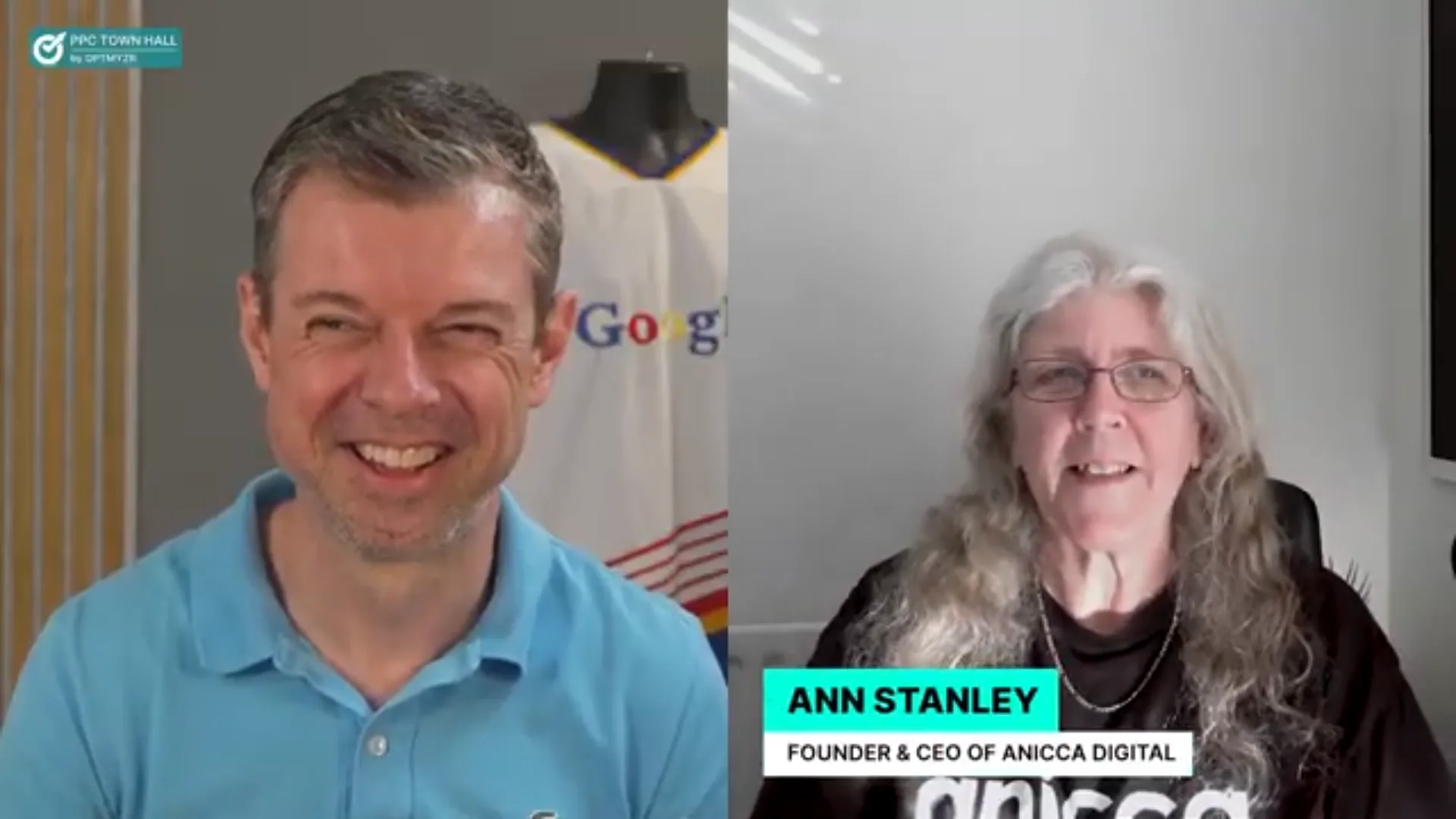
Earlier this month, I had the pleasure of joining Frederick Vallaeys on his PPC Town Hall podcast to talk about how marketers can build AI workflows that actually produce reliable, consistent results.
Fred and I go back over 10 years. We first met at a PPC Hero conference where I was on a panel talking about the early days of Google Shopping ads. Fred went on to add Shopping features to Optmyzr, his PPC management platform. It was not the first time I have been on the show, but Fred had seen me posting a lot about AI on LinkedIn and thought it was time I came back on.
The episode is called “How Marketers Can Build AI Workflows That Produce Reliable and Consistent Results” and we covered a lot of ground in just under an hour. Here it is:
Below is a summary of the key themes we discussed, with screenshots and examples from our agency.
- Why AI outputs are unreliable (and what to do about it)
- The AI adoption ladder
- What Claude Code actually is (for non-techies)
- The sleep problem (a health warning)
- What you can actually build
- Getting your team on board
- Version control and not losing your work
- The Human AI Sandwich
- What is next
Why AI outputs are unreliable (and what to do about it)
One of the first things Fred asked me about was predictability. Agencies make commitments to clients, so how do you guarantee that AI is going to deliver consistent quality?
My answer comes back to context. Large language models (LLMs) are just mathematical probability models. I always use the example of the word “Apple” – unless you give the AI enough context, it does not know whether you are talking about Steve Jobs or apple pie. The same word, completely different outputs.
This is why prompting matters so much. When you create an AI agent in something like n8n (a workflow automation tool), you do not just give it the instructions for the job. You give it background information, examples of what good looks like, brand guidelines, industry knowledge.
The cooking analogy
Imagine you are asking an AI to cook dinner. If you gave an Italian chef and a French chef the same ingredients, they would come up with completely different dishes. The “ingredients” – your task instructions – are the user prompt. The “chef” – their brand guidelines, tone of voice, industry knowledge, and experience – is the system prompt. In an agency context, Client A and Client B each need their own “chef” with their own background and expertise baked in.
The key principle is RAG (Retrieval-Augmented Generation) – giving AI access to your own knowledge base so it produces answers grounded in your actual data, not just what it learned during training. Whether you use a custom GPT, a Claude project, or a workflow tool like n8n, the principle is the same: the more context you provide, the more reliable the output.
The AI adoption ladder
I talked Fred through what I call the AI adoption ladder, based on what I have seen speaking to over 4,000 people in the last year:
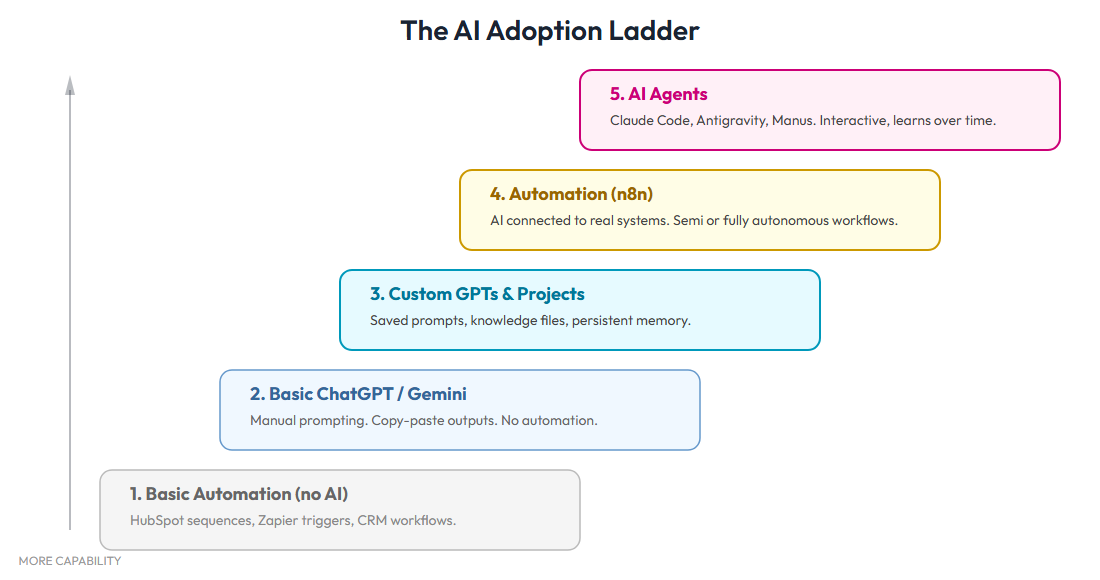
- Level 1: Marketing automation – Most marketers are already using systems like HubSpot or MailChimp for email sequences, CRM workflows, and lead scoring, but they are not really using AI yet. This is the precursor to a lot of what we are doing now, and these tools are still very much in use – though most of these workflows do not need AI, it is now being added into some of them
- Level 2: Free ChatGPT – 80% of people I spoke to last year were still at this level. They had not even bought a paid plan of ChatGPT, and most had not tried Claude yet, which is by far the better option for writing quality content
- Level 3: Custom GPTs and Claude Projects – This is where you start providing context, examples, and brand guidelines. A big step up because you can give it your brand voice, past examples, and industry knowledge, and the AI starts producing work that actually sounds like your brand
- Level 4: Workflow automation (n8n) – Predictable, repeatable tasks that run through APIs rather than chat interfaces. Better token limits, better outputs, and the ability to run things in the background automatically. This is where we built Secret Agents, our form-based AI platform, and automated our weekly blog pipeline
- Level 5: Claude Code – The game-changer. This is where you go from getting content out of AI to getting AI to do tasks for you – accessing files on your laptop, controlling your browser, posting to WordPress, sending emails, and building entire applications
Each level builds on the last, and that is the point.
“If I have seen further, it is by standing on the shoulders of giants.”
Isaac Newton
I quote this all the time now. All the knowledge we have built up over the last two years – n8n workflows, custom GPTs, Claude Projects, API integrations – means I can build quite extensive documents and applications that would have been impossible without that foundation. As I told Fred, I do not think I would be as effective with Claude Code if I had not gone through the apprenticeship of all the other stuff first.
What Claude Code actually is
Fred asked me to explain Claude Code for people who have never used it. I think this is important because there is a perception that it is only for developers. I am not a coder. I have never been a coder. But I understand enough to use these tools effectively.
There are several ways to use Claude Code, depending on how technical you are:
If you are completely non-technical, you can use Claude Desktop or Claude Co-Work, which give you a familiar chat interface with connectors to Google Drive, Gmail, and your local files. This is the easiest way to get started and does not require any setup beyond installing the app.
More technical people and developers tend to use the Terminal – that little black box, like something out of The Matrix, where you type commands directly. This gives you full control but is not the most user-friendly experience.
My preference is to use Claude Code inside Cursor (or VS Code). Cursor gives me the best of both worlds – I can grab and upload screenshots to show it what is wrong, and I can have multiple tasks open in tabs so I can work on two projects at once while waiting for one to finish.
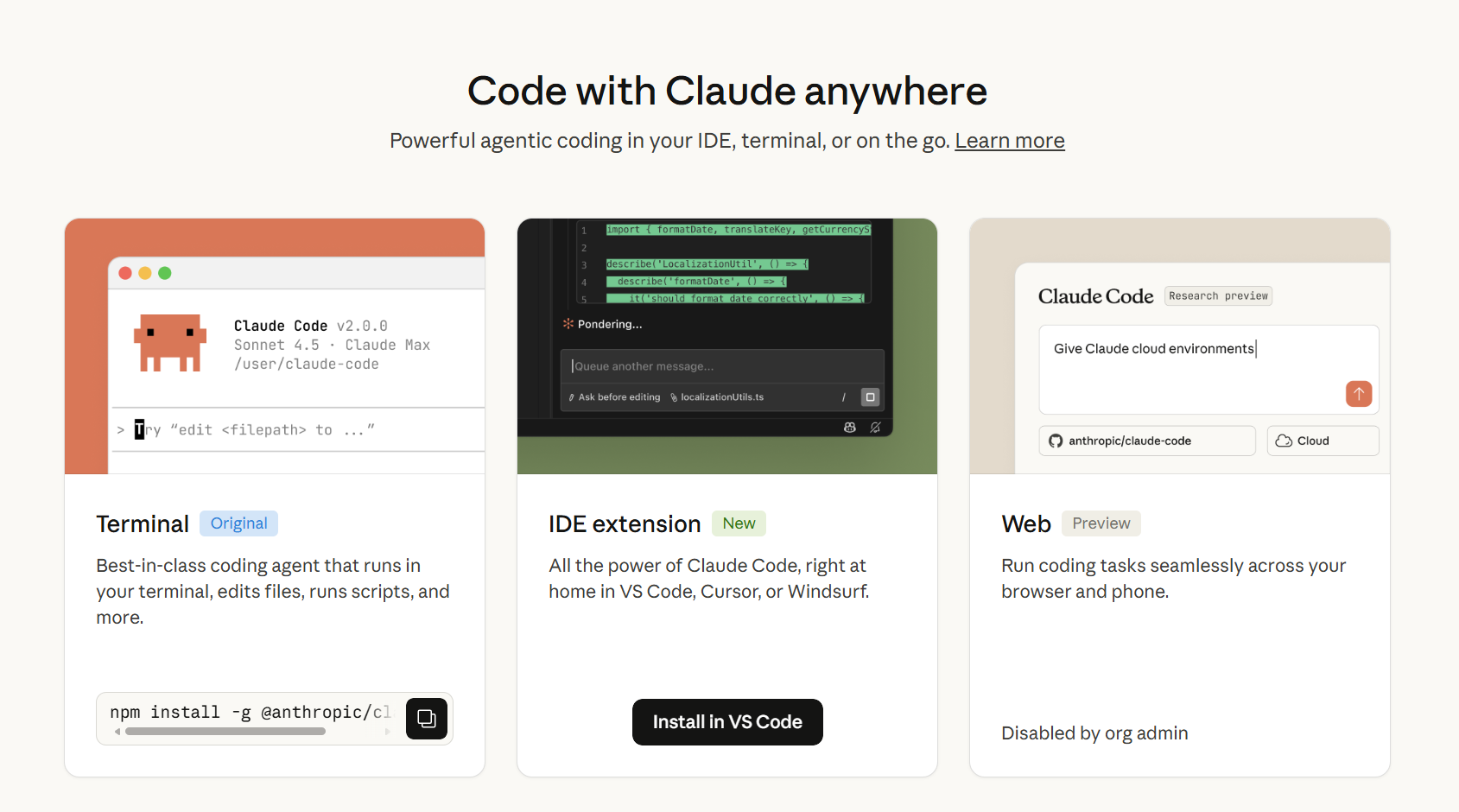
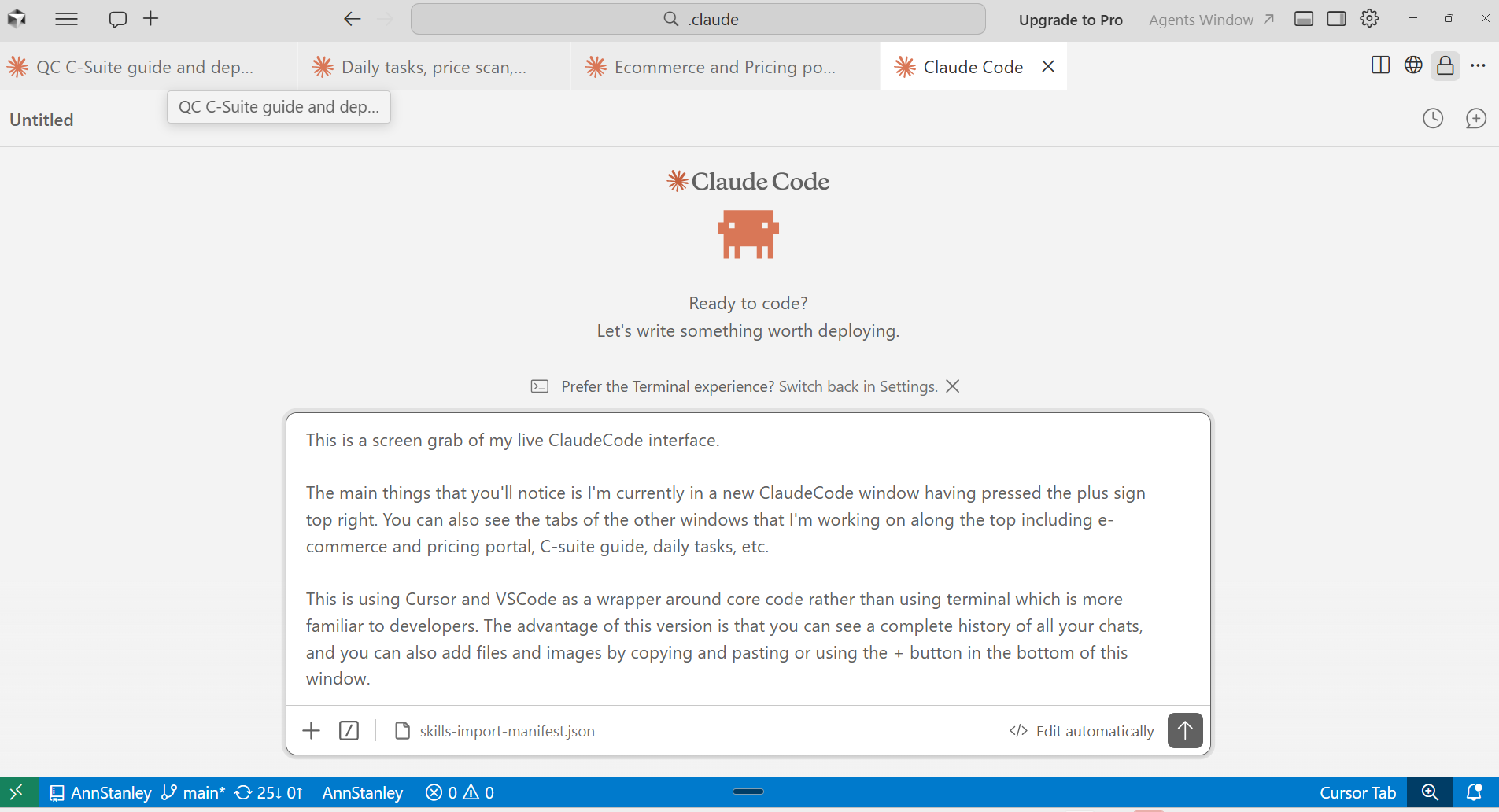
Whichever way you use it, you talk to Claude Code, ask it to use Skills you have built or found, and it executes tasks for you. I have built a library of over 80 Skills covering everything from order confirmations to LinkedIn carousels to posting blogs to WordPress. If you want to know where to start, read my guide to the 5 Claude Code Skills every business should build first.
The biggest productivity leap? Stop typing and start talking. Voice commands are significantly faster, and you can give much more detail by speaking than you ever could by typing (I use Wispr Flow).
The sleep problem (a health warning)
Fred and I both confessed to the same thing: AI has not given us more free time. It has made us do five times more work.
“You do not get any sleep once you really get into it. I am lucky if I get five hours.”
Ann Stanley, on adopting Claude Code
The pattern is always the same. You start building something, you get to a really good point, you save it, you think “great.” Then you try something else and it breaks. And you cannot go to sleep with something that is broken. Before you know it, it is 2 or 3 o’clock in the morning.
Fred said exactly the same thing. He has been up past midnight more often in the last few months than he has in years. Every hour AI frees up, you fill with another project you have always wanted to build. Fred even built himself a restaurant app to remember what he ordered at his favourite places.
“This idea that you have more time to yourself is just rubbish. You just do five times more work.”
Ann Stanley
What you can actually build
The podcast covered theory, but I think it is worth showing what these tools produce in practice. Here are two examples from our agency:
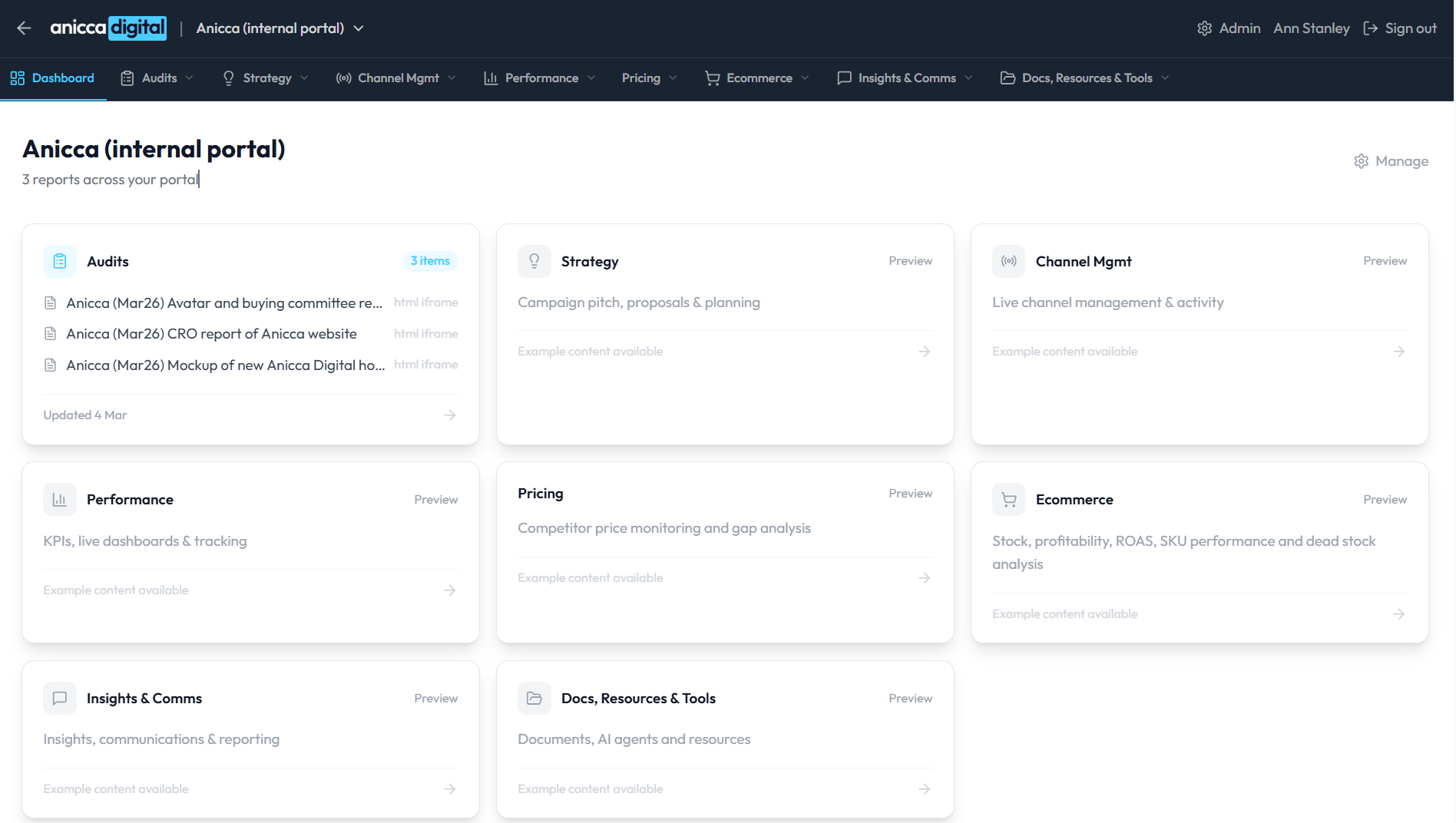
I was already using Claude Projects to create text documents like proposals and audit reports, and then moved over to Claude Code. You have to start somewhere, so I wanted to try something different. I took a carousel design our team had created in Figma as a seed image and asked Claude Code to recreate it – and that turned out to be one of those really time-consuming jobs. The first one took me a whole day to get right. Now it takes two attempts. I also built an entire client portal in a weekend. The investment is in getting it right the first time, then you have something reproducible.
Getting your team on board
Fred raised a really important question about team adoption. As founders, we can invest the time because we see the long-term payoff. But how do you get your team to make that same investment?
Here is what I have seen at Anicca Digital: the team were using things like Claude Projects pretty extensively, but they were not enthusiastic about learning workflow automations like n8n. Then once they started to see what we were producing with Claude Code, suddenly they were desperate for us to bring them up to speed.
“Once the benefit outweighs the pain, the team will come on board. But the founders and pioneers are usually about six months ahead of the rest of the team.”
Ann Stanley
The lesson is clear: you have to invest the time to demonstrate suitable applications, show the results, and let the “wow” factor do the recruiting. You should only build Skills for things you do regularly – if you are only doing an audit once every three months, it is hard to justify the setup time. But if you are doing 10 GEO reports a week for outreach, it is absolutely worth it.
At Anicca, it is not just me – Darren (our MD) and James (our tech SEO) are just as into it. Having three people pushing the boundaries makes a real difference.
Fred shared a brilliant example from his workshop at SMX in Munich. He gave people an hour and 20 minutes with a spreadsheet of their own data and Claude Code. By the end, everyone had working prototypes with actual data – and nobody wanted to leave. They all got into that same pattern of “what if I try this… and this… and this…”
Version control and not losing your work
We had a candid discussion about the risks of AI workflows. Fred mentioned the story of someone using an unrestricted version of Claude who watched in horror as it deleted all her emails because the safety instruction had been lost during memory compaction.
This is why discipline matters. Here is what I do to stay safe:
- Monitor context usage (the amount of conversation space you have used up in your chat session) – when I get to about 60%, I create a handover document and start a new chat
- Save everything during a handover – whenever I do a handover, I also tell it to save a local version of the work, update the memory.md and CLAUDE.md files, and if possible, push to GitHub. That way, the next session picks up exactly where I left off
- Run “cron” jobs – scheduled tasks that run at 7am every morning to make sure everything is backed up automatically, even if I forget
- Use Claude Code in Cursor – I do not use Terminal because it has no visual interface. Claude Desktop and Co-Work do have a visual interface, but the main reason I use Cursor is that I can have multiple projects open side by side, grab and upload screenshots to show it what is wrong, and work on two things at once while waiting for one to finish. There are plenty of other advantages too, but that is a blog post for another day
- Go into planning mode first – describe what you want, get the AI to confirm the plan, then let it build
It is a bit like the early days of Excel before auto-save. If it screws up, it screws up. There is no Control-Z (undo) button. So you need checkpoints you can go back to.
Planning mode – we both agree
Fred and I approached this from different angles but landed on the same conclusion. The key is: do not go straight to building. Describe what you want to achieve – the goal, not the steps – and let the AI propose a plan. Then refine the plan together before building. As I put it: “We are all pretty rubbish at describing what we want, really. Unless you do this a lot.” Working iteratively with AI is like having your own assistant who can do design, function, content, and everything else.
The Human AI Sandwich
I wanted to leave everyone with one takeaway, and this is it: the Human AI Sandwich.
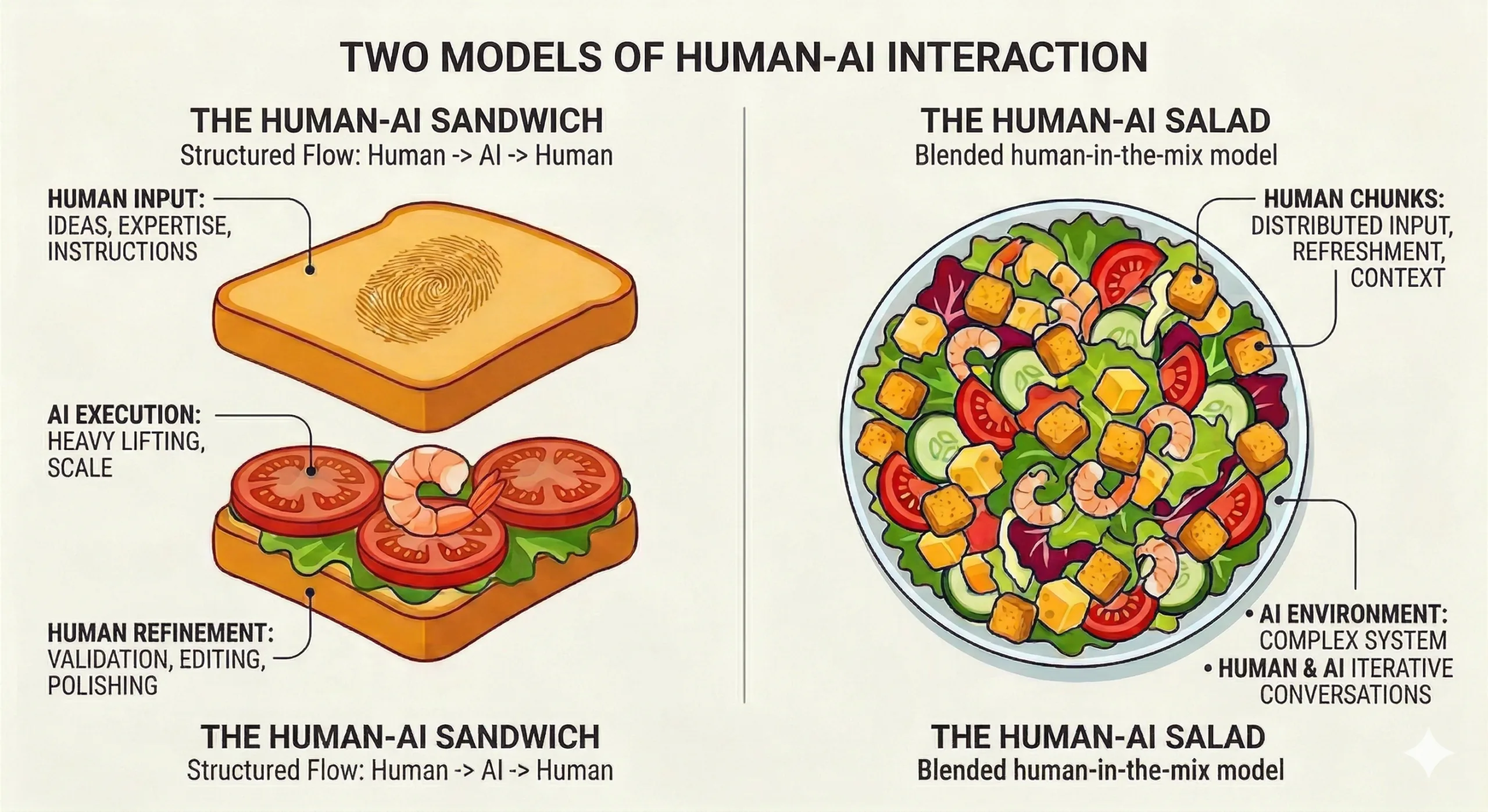
You need humans at both ends of the process. At the front, you need someone with the idea, the inspiration, the domain expertise to give the right instructions. At the back, you need someone who knows whether the output is good, who can edit it, refine it, and make it better.
The AI is the filling. It does the heavy lifting in the middle. But the quality of the sandwich depends entirely on the quality of the humans on either side.
“Better quality humans produce better quality sandwiches.”
Ann Stanley
Since recording the podcast, I have added a second model: the Human-AI Salad. This is where the human is blended into the mix throughout the process – providing distributed input, refreshment, and context as the AI works, rather than just bookending it. Think of iterative conversations where you and the AI go back and forth, refining as you go. Both models have their place, but the salad is closer to how I actually work day to day in Claude Code.
This is why experience matters more than ever. The technology is becoming commoditised. Anyone can access the same tools. What differentiates you is the 10, 15, 20 years of knowledge that tells you what to build and whether the output is actually any good. Or as Fred put it: “You are not competing against AI. You are competing against people who use AI better than you.”
What is next
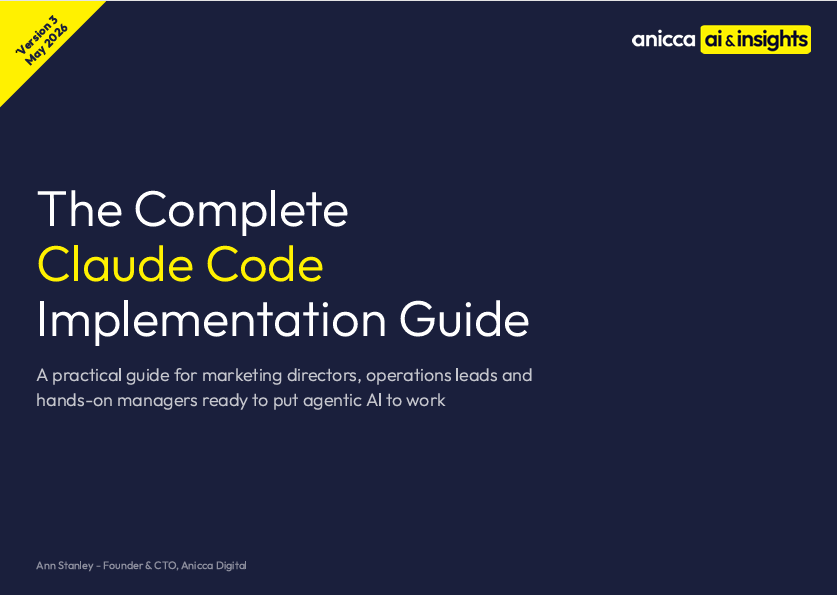
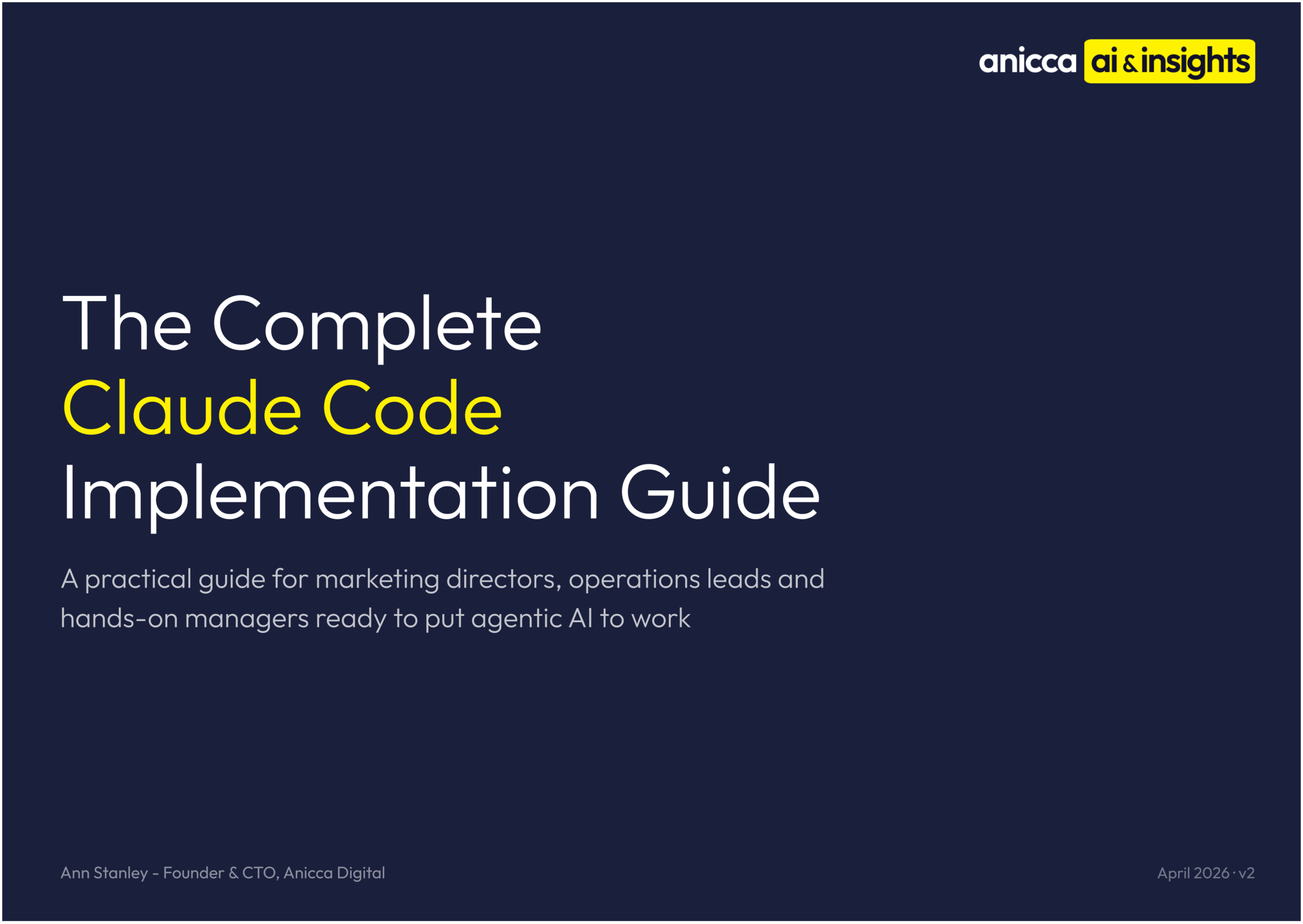
I have also written The Complete Claude Code Implementation Guide – a comprehensive guide to getting started with Claude Code, from setup to building your first Skills. If you want to go deeper on anything we discussed in this episode, that is the place to start. (Link coming soon)
Fred has just released his new book, The AI Amplified Marketer, available on Amazon. It covers many of the concepts we discussed, and was written before Claude Code, so it focuses on the strategic thinking and frameworks that feed into everything we are doing now.
At Anicca, we have just launched the Thursday AI Club – fortnightly sessions with an hour of Q&A followed by a two-hour hands-on workshop. Over six months, we have 12 workshops planned covering everything from basic prompting to Claude Code to building your own AI agents. The first session is free, then it is a members club.
And maybe in six months we will both be getting a bit more sleep. But I doubt it.
Useful links


Thursday AI Club
A hands-on AI club for marketers and managers. Fortnightly 3-hour sessions: Hour 1 is an open Q&A on any AI question; Hours 2-3 split into a workshop track (for newbies) and an advanced track (live demos and deeper questions).
Led by Ann Stanley, James Allen.
Membership: £40/month or £400/year
Join the Thursday AI Club →